Access object properties
 | Use Docker > Object Properties to set properties of selected objects. |
|---|
The most important docker is Object Properties. Use it together with the Property Bar to access the properties of selected embroidery objects.
To access object properties...
- Open the Object Properties docker by any of the following means:
- Click the Object Properties tool.
- Double-click an object in the design window.
- Right-click an object and select from the popup menu.
- Right-click an object in the Color-Object List and select from the popup menu.
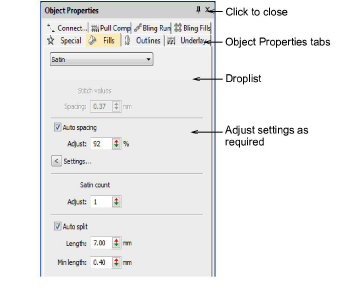
Select a tab to access the properties to adjust.
Adjust general properties – width, height, position – by means of the Property Bar. Press Enter to apply. Press Esc to discard changes.

TIP
You can specify units of measurement when entering values into a measurement control.