Add trims
 | Click Function > Insert Trim to insert a trim. |
|---|
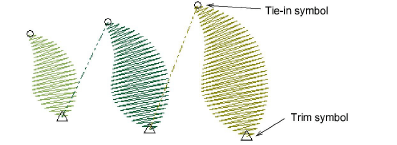
You can add trims in your design using the Trim tool. When you add a trim in this way, the trim function is added to the current stitch. Some machines require empty stitches or empty jumps on either side of the trim. If this is the case for the machine you want to stitch to, you will need to insert them.
TIP
Make sure that all stitches you trim have been tied in and off, otherwise stitches will not be secured.
To add a trim...
Travel to the needle position where you want to trim the thread.
Click the Insert Trim icon. A trim function is inserted at the current needle position.
TIP
You can also insert machine functions manually using the Insert Machine Function dialog.