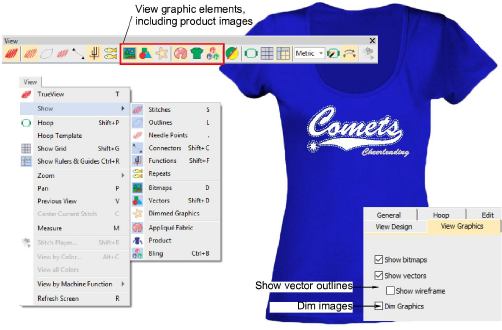
View graphical components
 | Use View > Show Bitmaps to show and hide bitmap images. Right-click to set image display options. |
|---|---|
 | Use View > Show Vectors to show and hide vector graphics. Right-click to set image display options. |
 | Use View > Dim Artwork to dim graphic backdrops to show stitches more clearly for digitizing. |
Apart from embroidery, EMB designs may include other components such as bitmap images, vector graphics, appliqué fabrics, product backdrops, and rhinestones or ‘bling’. These can also be turned on or off as desired. The Options > View Graphics dialog lets you set options for viewing artwork. You can dim bitmaps as well as show/hide vector drawings.