Merge vector & embroidery objects
 | Use Shaping > Weld to merge overlapping objects into a single ‘flattened’ object. |
|---|---|
 | Use Shaping > Combine to merge the properties of overlapping objects and trim overlapping areas. |
Merge selected objects using the Weld or Combine tools.
To merge vector and embroidery objects...
- Select vector or embroidery objects to shape.
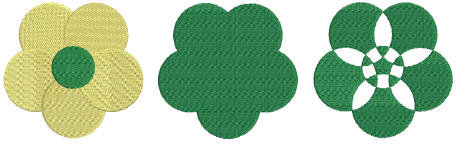
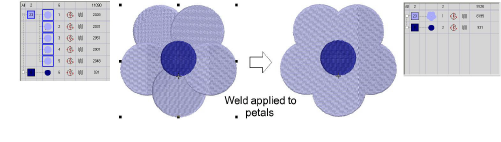
- Use Weld to merge overlapping objects into a single ‘flattened’ object.
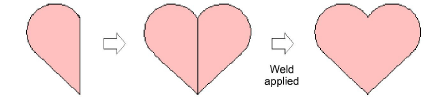
- Make symmetrical shapes by digitizing one half, duplicating and reflecting, then welding the duplicate shapes.
- Use Combine to convert embroidery objects into multiple objects sharing the properties – stitch color and type, etc – of the topmost object.
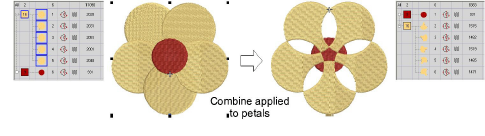
If drawing tools are used as the input method, Combine converts vector objects to a single complex shape.

TIP
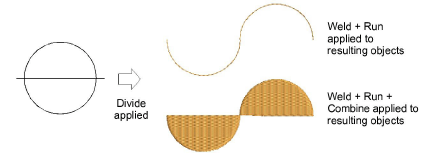
Cut objects in half by drawing a line through them and applying Divide. Apply Combine to create closed objects or Weld to fuse two objects.