Information options
Reports include information entered in the Design Information > Summary tab, including comments but excluding keywords. The Info tab lets you filter this information for inclusion on production worksheets.
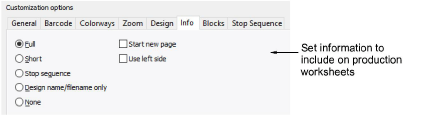
Customizable options include:
| Option | Function |
|---|---|
| Full | Includes all design and production information included in the Design Information docker. This information can be further filtered via the Blocks tab. |
| Short | Includes only default header and footer information. Usually used in conjunction with full size design in order to visualize on garment. See also Zoom tab. |
| Stop sequence | Includes only stop sequence information on the worksheet. This information can be further filtered via the Stop Sequence tab. |
| Design name / filename only | Includes the design filename as the printout information without any other text. |
| None | Eliminates design details altogether and suppresses display of default header and footer information – again, can be used in conjunction with full size design in order to visualize on garment. See also Zoom tab. |
| Start new page | Prints design details on a separate sheet. |
| Use left side | Displays the information column on the left side of the page (rather than the default right-hand side). |