Colorways
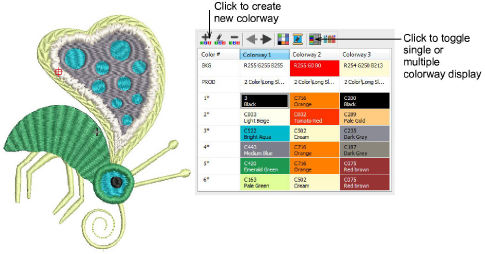
 | Use Colorway Editor > Create Colorway to add a new colorway to the design. |
|---|---|
 | Use Colorway Editor > Delete Colorway to remove a colorway from the design. |
 | Use Colorway Editor > Rename Colorway to rename selected colorway. |
 | Use Colorway Editor > Move Colorway Left/Right to move between colorways. |
 | Use Colorway Editor > Background and Display Colors to change design background presets for the current colorway. |
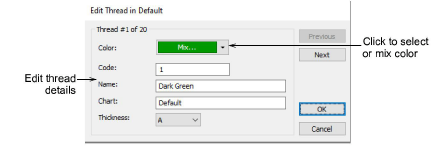
 | Use Colorway Editor > Edit Color to modify thread information about the palette color currently selected in the colorway list. |
 | Use Colorway Editor > Show Colorway Details to show selected colorway details. |
 | Use Colorway Editor > Hide Unused Colors to show or hide all unused colors in the color palette. |
When you create a new design, it contains a single default colorway called ‘Colorway 1’. You can add a virtually unlimited number of colorways to the design using the same or different thread sets. Preview designs in different colors on different fabrics. Colorways are saved with the design in EMB format. They can also be saved to an EMT template file for use in future designs. They cannot, however, be saved with machine files.
Create colorways
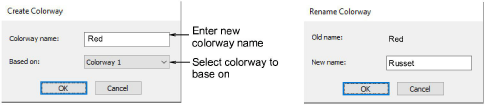
The Create Colorway dialog lets you enter a name for new colorway. The Rename Colorway dialog lets you change the name of an existing colorway.
Edit color
The Edit Color dialog lets you edit thread details.