Chenille
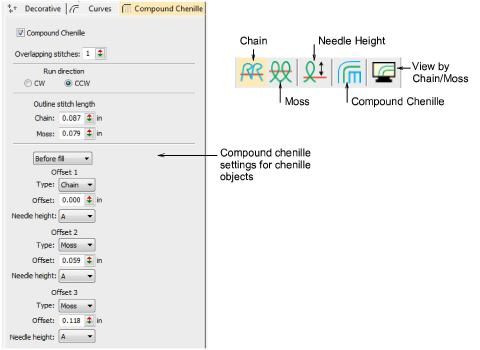
 | Use Chenille > Chain to create flat stitches traditionally used as a border or outline for moss stitches. Right-click to adjust settings. |
|---|---|
 | Use Chenille > Moss to create a looped pile look. Right-click to adjust settings. |
 | Use Chenille > Needle Height to control height of loop formed when sewing moss stitch as well as width of chain stitch. |
 | Use Chenille > Compound Chenille to automatically digitize chenille shapes with offset borders. Right-click to adjust automatic offset borders. |
 | Use Chenille > View by Chain/Moss to view chenille objects in special mode to allow easy identification of chain and Moss elements – lockstitch in green, chain in blue, moss in red. |
In EmbroideryStudio, you use a single design workspace for both chenille and lockstitch embroidery. In addition, with the Chenille add-on activated, there is a dedicated Chenille template, a Chenille toolbar with chenille-specific stitch types and machine functions, dedicated chenille fonts, and a dedicated tab on the Object Properties docker.
TIP
For further information about the Chenille tools, refer to the Chenille Supplement supplied with the Chenille Option. This is available via the Help menu.