Rotate objects interactively
When you select an object, selection handles display at its extremities. When you click the object again, the handles change to rotation handles. Use the tooltips as a guide.
To rotate objects interactively...
Select the objects to rotate.
Click a second time. Rotation handles appear at the corners and an anchor point at the center.
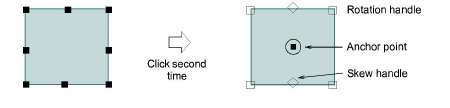
- Optionally, drag the anchor point to any position.
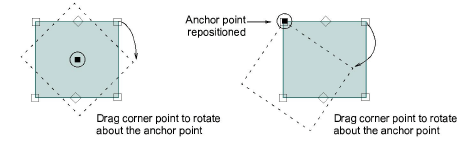
- Click-and-drag a rotation handle in either direction.