Recognize object outlines
 | Use Stitch > Stitch Edit together with Recognize Objects/Outlines to turn selected stitches into an embroidery object. |
|---|
New or revised object outlines can be recognized after stitch edits have been made. This is useful with machine files which have been opened without Object/Outline recognition. You may do this to preserve the original stitching in most of the design, while modifying a single section of it. You may also want to turn edited stitches into an embroidery object in order to preserve the edits.
To recognize object outlines...
- Click the Stitch Edit icon and select the individual stitches you want to process.
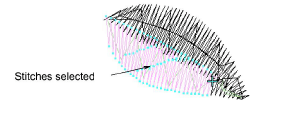
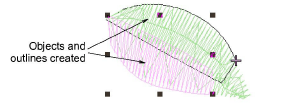
- Select Stitch > Recognize Objects/Outlines. The selected stitches are converted to objects.