Digitize cross stitch fills
 | Use Input > Cross Stitch Fill to draw and digitize closed shapes. |
|---|
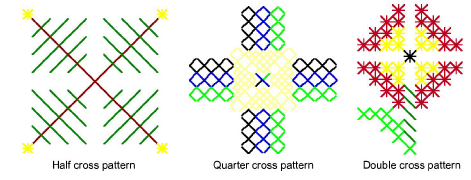
You can create free-form filled shapes using the Cross Stitch Fill tool. Fill stitches are all cross stitches. A variety of fill stitch types is available from the Stitch toolbar. You can control the orientation of fractional cross stitches to create different patterning effects.
To digitize a cross stitch fill...
Click the Cross Stitch Fill icon.
Select a color from the palette and cross stitch type from the Stitch toolbar. See Set stitch color & type for details.
Mark reference points on your design. Left-click for sharp corners and right-click for round corners.
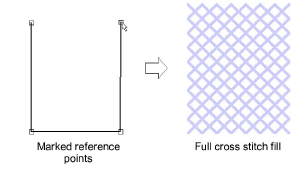
- Press Enter. Depending on the stitch type selected, you will be prompted to set cross stitch orientation via the Select Fill Style dialog.
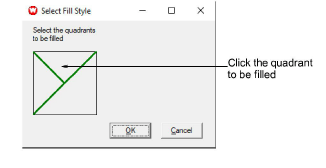
- To set cross stitch orientation, click the quadrant to be filled.
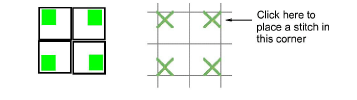
- To create three-quarter cross stitches, click the corner where you want the quarter stitch to be.
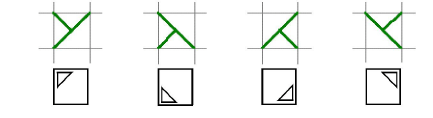
- To create half cross stitches, click the corner where you want your stitch to start.

- To create quarter cross stitches, click the corner where you want your stitch to start.
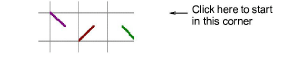
- To create mini cross stitches, click the corner where you want to place the stitch.
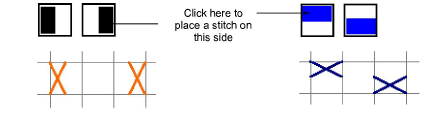
- To create vertical elongated cross stitches, click the side where you want to place the stitch.
- Click OK. The shape is filled with the selected stitch type.