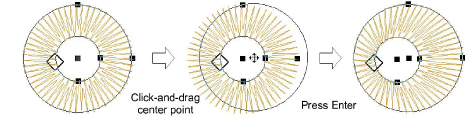
Reshape ring objects
 | Use Reshape > Reshape Object to reshape ring objects. |
|---|
You can reshape the inner and outer boundaries of ring objects with the Reshape Object tool.

To reshape ring objects...
- Select an object and click Reshape Object.
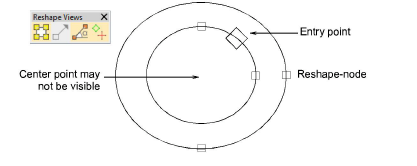
- Use reshape nodes to change object radius, orientation, and position.
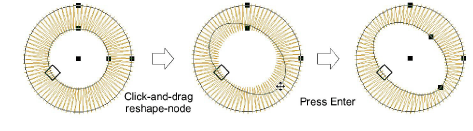
- Use reshape nodes to offset boundaries. Center points are generally on top of each other to begin with, and may not be visible.