Scale objects interactively
You can change height and width of an object, or scale it proportionally using selection handles. Scale objects individually, or select multiple objects and scale them together. Use the tooltips as a guide.
To scale objects interactively...
- Select the objects to scale.
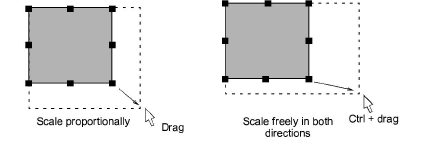
- To scale height and width proportionally, use a corner handle.
TIP
By default, objects scale proportionally. To scale freely in vertical and horizontal planes, hold down Ctrl as you drag.
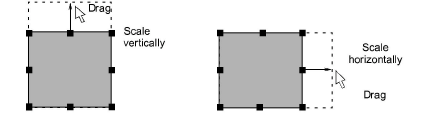
- To change the height or width, use the center handles.
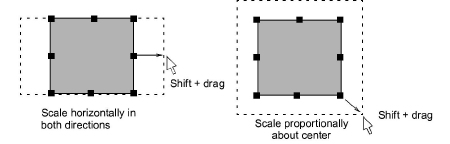
- To scale proportionally around an anchor point, hold down Shift as you drag.