Send designs as email attachments
 | Use Standard > Open Design to send a design as an email attachment. |
|---|
You can attach designs to emails from the design window or via the Open Design dialog.
To send designs as email attachments...
- With the design open in the design window, select File > Send via Email.
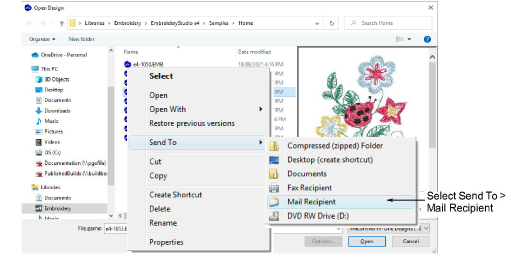
- Alternatively, click the Open Design icon. Select the file to send, then right-click it. The popup menu appears. Select Send To > Mail Recipient.
Your default email system is launched and a new email created with the design file attached.
- Enter mailing details and send.
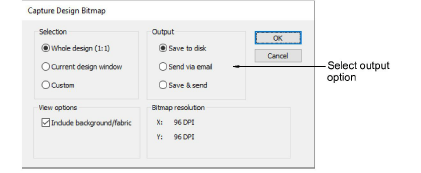
- Optionally, to output a design as a bitmap, select File > Capture Design Bitmap.